AI platform for farmers' association operations
Turning a farmers' association's scattered regulations, scanned forms and complicated permissions into one system that can answer questions and fill in forms automatically.
This is a program funded by Taiwan’s Ministry of Agriculture, with a very long official name. In short, it brings AI into a farmers’ association.
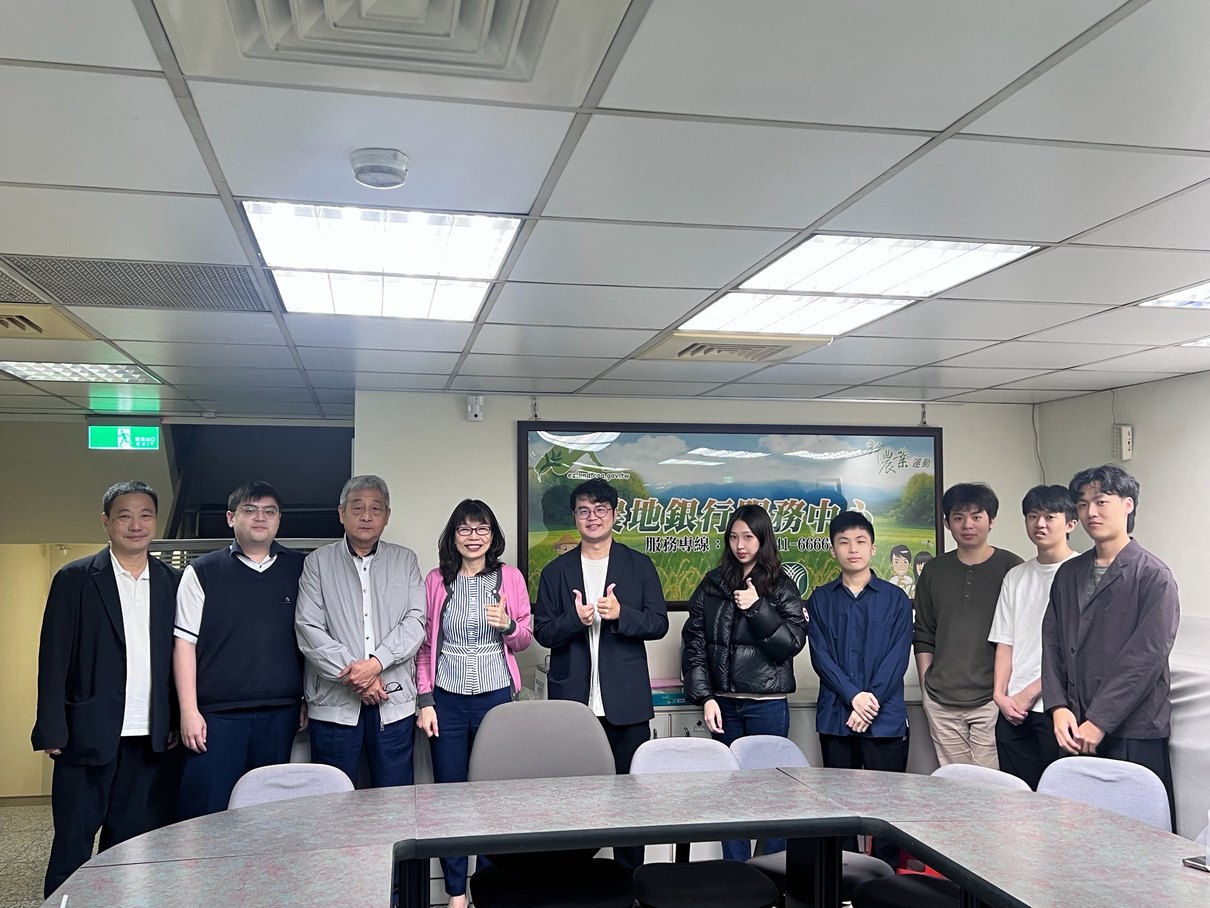
Our team with the association’s staff after a project meeting at their credit department.
The problem we expected, and the real one
Our team proposed this project ourselves. We went in thinking they were missing AI. After the interviews, it turned out the problem was something else entirely:
- Knowledge was everywhere: regulations, procedures and internal documents were scattered, and front-line staff spent a lot of time looking for them.
- Forms were filled in again and again: stacks of paper and scanned forms, with the same information written several times.
- Versions and permissions were messy: which copy is the latest, and who may see what, was not clear.
These three problems also feed each other. So the goal became tidying up the existing information flow first, with AI as one of the tools.
What we built
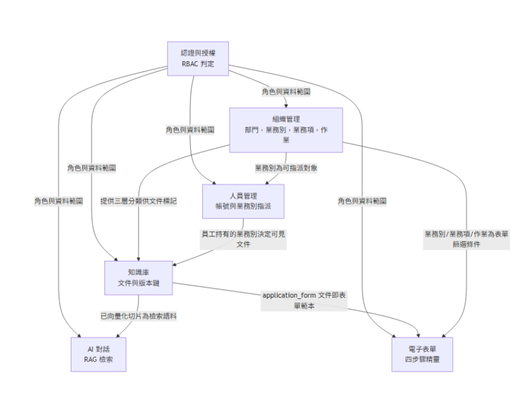
How the modules relate. Access control sits at the top, and the knowledge base, AI chat and electronic forms all go through it.
Automating scanned forms
Most of the association’s forms are scanned PDFs with no fillable fields. Rebuilding every form would cost too much, so we made a drag-and-drop annotation tool: draw a box around each field on the scan, label what kind of data it is, and save that as a template. After that the system fills the data in automatically, and fields shared by several forms, such as name and address, only need to be entered once.
The point is less about auto-fill itself and more about digitising an old paper process at very low cost.
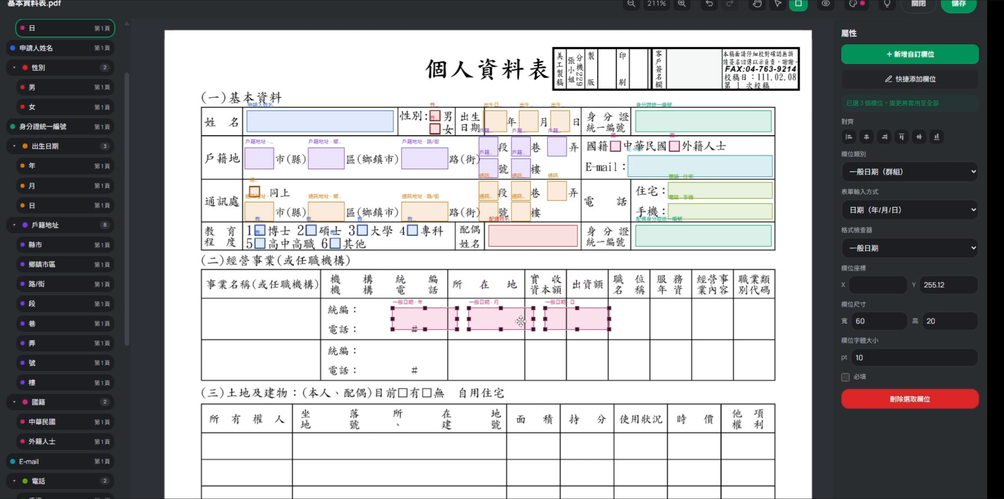
Step 1: box each field on the scanned form and label it as a name, a date or an address.
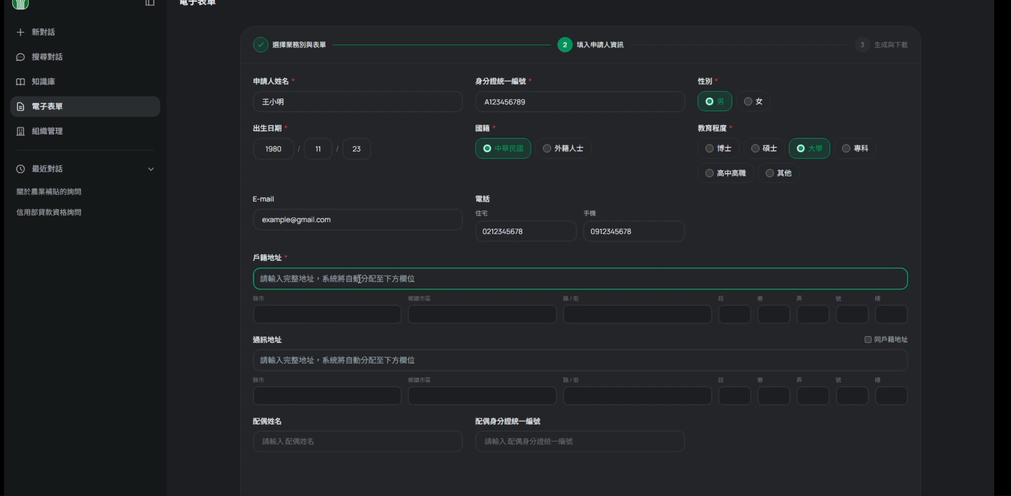
Step 2: counter staff enter the data once on this screen.
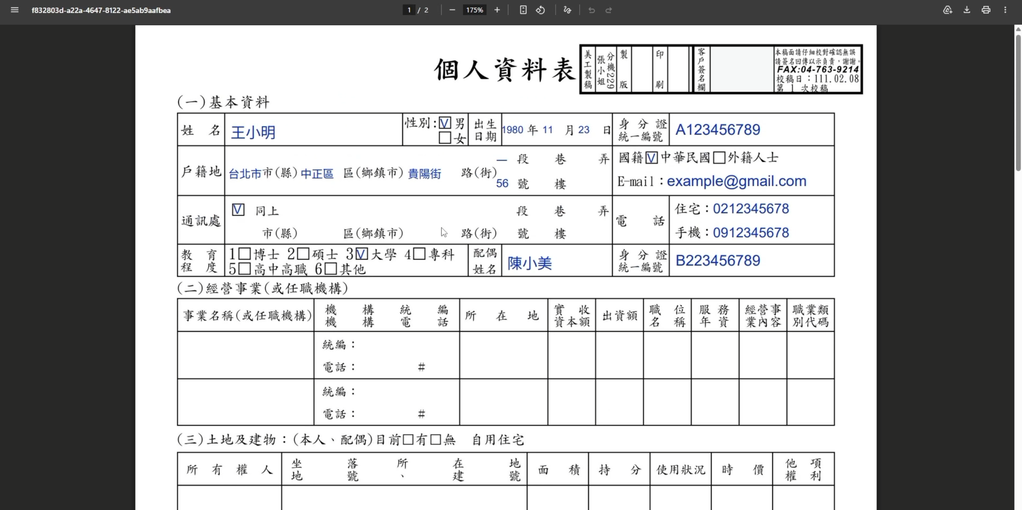
Step 3: the system writes the data back onto the original scanned form. The data shown is fake test data.
RAG that understands permissions
Here, not every document can be searched by everyone. Different departments and roles can see different things, and every answer has to state its source.
So we redesigned how documents are split, attached a path to every chunk that says which article of which document it comes from, and pushed permissions down to sub-document units. The system filters out unauthorized content during retrieval, and every answer traces back to the original text.
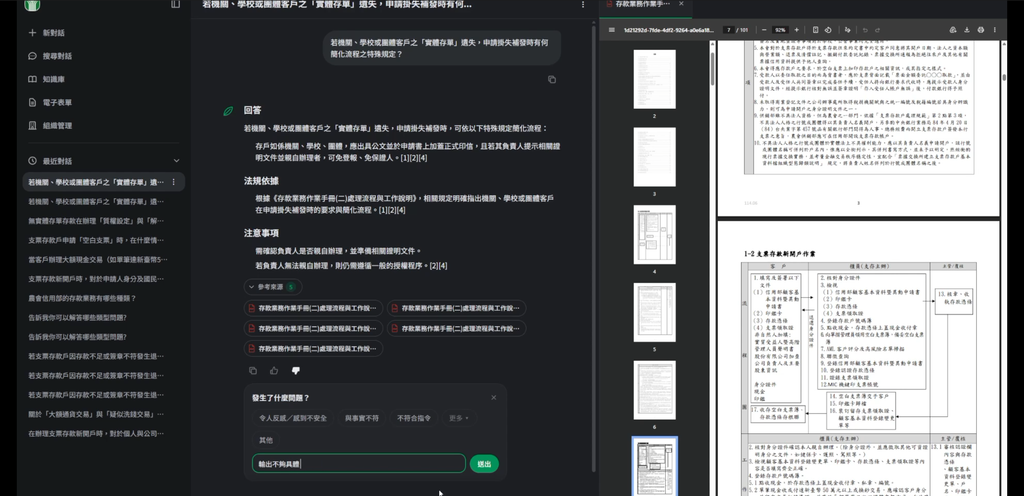
The chat screen. The answer, legal basis and sources are on the left, and the cited original document opens on the right.
This part later became my first paper.
My role
Overall technical architecture, backend services, the RAG pipeline, document processing, permission design and LLM integration. I joined a requirements meeting with the business side every two weeks and turned loosely described needs into features we could implement.
I also led two engineers, using GitHub to split tasks and track progress. This was the first time I had to look beyond my own features and keep an eye on requirements, architecture and whether everyone’s work would block each other.
Where it stands
The system is in the pre-delivery stage. Training and acceptance come next.
What I learned
This was the first time I went through the whole process: requirements interviews, breaking down problems, design, collaborative development and delivery. The biggest lesson is that technical problems in the field are rarely about the model being too weak. Far more often, existing processes, document structure, permissions and usage habits are all tangled together.